Answer
Apr 23, 2024 - 11:52 AM
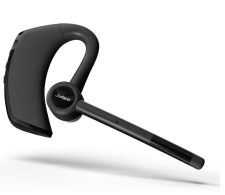
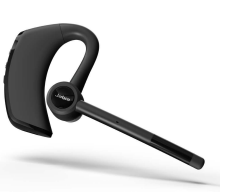
Yes, the Jabra Talk 65 Bluetooth Headset typically includes earpiece volume control functionality. This feature allows users to adjust the volume directly on the headset itself, providing convenient control over the audio output level without needing to adjust settings on the connected device, such as a smartphone or computer.
To use the earpiece volume control on the Jabra Talk 65 Bluetooth Headset, follow these steps:
-
Put on the headset: Place the headset on your ear securely, ensuring that the earpiece is comfortably positioned.
-
Make a call: Pair the Jabra Talk 65 headset with your Bluetooth-enabled device, such as a smartphone or computer. Once paired, make or receive a call using the connected device.
-
Adjust the volume: During the call, locate the volume buttons on the Jabra Talk 65 headset. These buttons are typically located along the side or edge of the headset, within easy reach of your fingers.
-
Increase or decrease volume: Press the volume up button to increase the earpiece volume if the call volume is too low. Conversely, press the volume down button to decrease the volume if it's too loud.
-
Listen and adjust as needed: While on the call, listen to the audio output through the earpiece and adjust the volume using the volume control buttons until you reach a comfortable listening level.
-
End the call: Once you've finished the call, you can end it by pressing the appropriate button on your connected device or the headset itself, depending on your preference.