We’ve provided several answers to questions related to Yealink YHS34 , see some other helpful Q&A related to this product.
-
Question: What connection types (Corded/USB/QD) are best for a Yealink YHS34 headset?
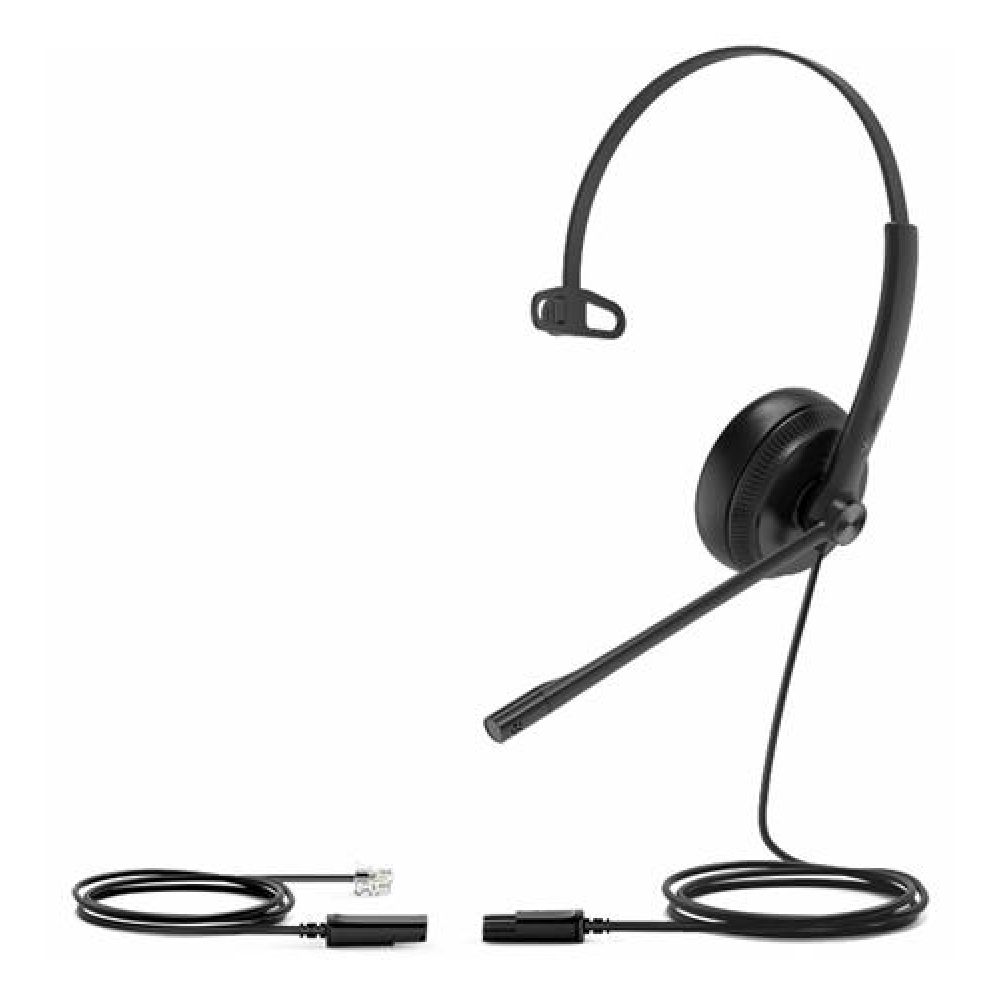
Answer: Connection type is a critical factor that influences the headset's versatility and ease of use. Yealink YHS34 headsets typically feature corded connections with RJ9 plugs for direct integration with Yealink IP phones. Additionally, options like the Yealink USB/QD Trainer Cable provide flexibility by allowing quick disconnect (QD) capabilities and USB connectivity, enhancing adaptability for various setups. These options ensure that whether you prefer a traditional corded setup or require more dynamic connectivity, there is a solution available to fit your needs.
-
Question: What noise-canceling features are best for a Yealink YHS34 headset?
Answer: Noise-canceling features are essential for maintaining clear communication in noisy environments. The Yealink YHS34 headsets, including the YHS34 Lite Mono, are equipped with noise-canceling microphones that filter out background noise, ensuring your voice is heard clearly. This feature is particularly beneficial in busy offices or call centers where ambient noise can be distracting. With multiple models offering this technology, you can choose a headset that provides the best noise-canceling capabilities for your environment.
-
Question: What comfort features should I consider for a Yealink YHS34 headset?
Answer: Comfort features like ear cushion type are vital for long-term wearability. Yealink YHS34 headsets often come with foamy ear cushions, providing a soft and comfortable fit for extended use. For instance, the Yealink Foamy Ear Cushion ensures comfort, especially during prolonged periods of use. These features are designed to reduce pressure and prevent discomfort, allowing for all-day wear, which is particularly beneficial in call center or office environments. Different options ensure you can find a headset that meets your comfort requirements.
-
Question: Why is audio quality (Wideband/High-Definition) important for Yealink YHS34 headsets?
Answer: Audio quality is a key consideration as it impacts the clarity and fidelity of communications, essential for professional settings. Yealink YHS34 headsets, such as the YHS34-DUAL, offer wideband audio technology, which enhances voice clarity and reduces listening fatigue during long calls. High-definition audio ensures that every nuance of the conversation is captured, making it invaluable for environments where clear communication is critical. With a range of headsets offering these features, you can choose one that enhances your audio experience.
-
Question: What are the best headset types (Mono/Dual) for a Yealink YHS34?
Answer: The choice between mono and dual headset types depends on your work environment and personal preference. Mono headsets, like the Yealink YHS34-MONO, are ideal for environments where you need to stay aware of your surroundings. In contrast, dual headsets, such as the Yealink YHS34-DUAL, offer immersive sound quality, making them suitable for noise-canceling needs in busy settings. With both types available, you can select the style that best fits your work habits and environment.
-
Question: What is the best compatibility with devices for a Yealink YHS34 headset?
Answer: Compatibility with devices is crucial when choosing a Yealink YHS34 headset as it determines how easily the headset can be integrated into your existing tech ecosystem. The YHS34 headsets are specifically designed for seamless connectivity with Yealink IP phones, ensuring optimal performance and user experience. Variants like the Yealink YHS34 Lite Mono and Yealink YHS34 Lite Dual offer plug-and-play RJ9 connectivity, making them versatile choices for many environments. This range of compatibility options ensures you can find a model that fits your specific device needs.
-
Question: How do you work a Yealink phone?
Answer: To work a Yealink phone, start by connecting it to a power source and your network via an Ethernet cable. Once powered on, use the keypad to configure basic settings like date, time, and network preferences, or access the menu for more advanced features. You can make calls by dialing the number and pressing the "Send" or "Call" button, and navigate other functionalities through the phone's interface or touchscreen, if available.
-
Question: How to access settings on Yealink phone?
Answer: To access the settings on a Yealink phone, start by pressing the "Menu" button on the device. From there, navigate using the arrow keys to select "Settings." Within the settings menu, you can adjust various options such as network settings, display preferences, and call features.
-
Question: Is Yealink an internet phone?
Answer: Yealink is not an internet phone itself but rather a company that manufactures a range of communication products, including internet protocol (IP) phones. These IP phones are designed to work with Voice over Internet Protocol (VoIP) services, allowing users to make and receive calls over the internet. Yealink's products are widely used in business settings for their reliability and advanced features.